Every UPS on one screen
APC, Eaton, Vertiv, CyberPower, Tripp Lite, XPC, Delta and Riello side by side, with status, battery capacity, runtime and load for each site.

UPS MONITORING AND SHUTDOWN SOFTWARE
MayaUPS is UPS monitoring software for mixed fleets. It watches every UPS, PDU and transfer switch on one screen, shuts down your virtual machines, servers and storage in order when the power fails, and brings them back when it returns. It runs on your Windows or Linux server, in English and French.
Battery capacityEach battery’s charge, live.
Runtime and loadRemaining runtime next to the load it supplies.
PRODUCT TOUR
Five screens, from the fleet to battery planning. Sample data.
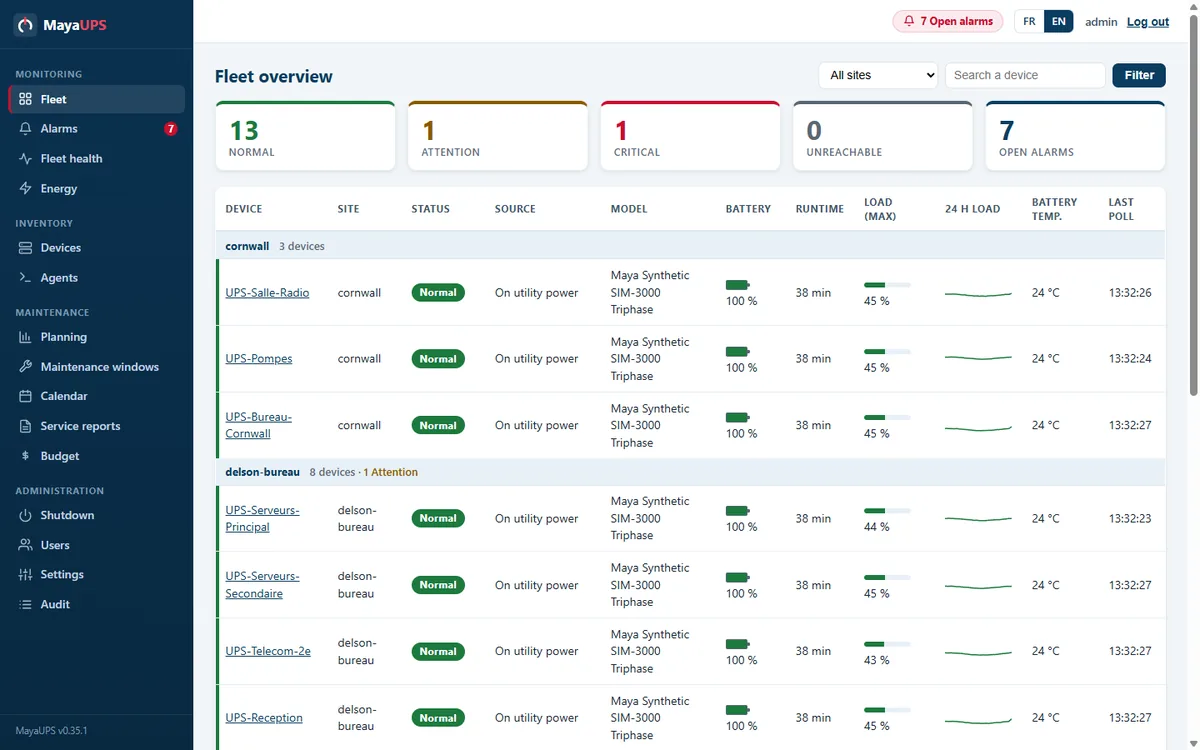
Fleet
The fleet view shows status, battery capacity, remaining runtime and load for each UPS, grouped by site, whatever the brand.
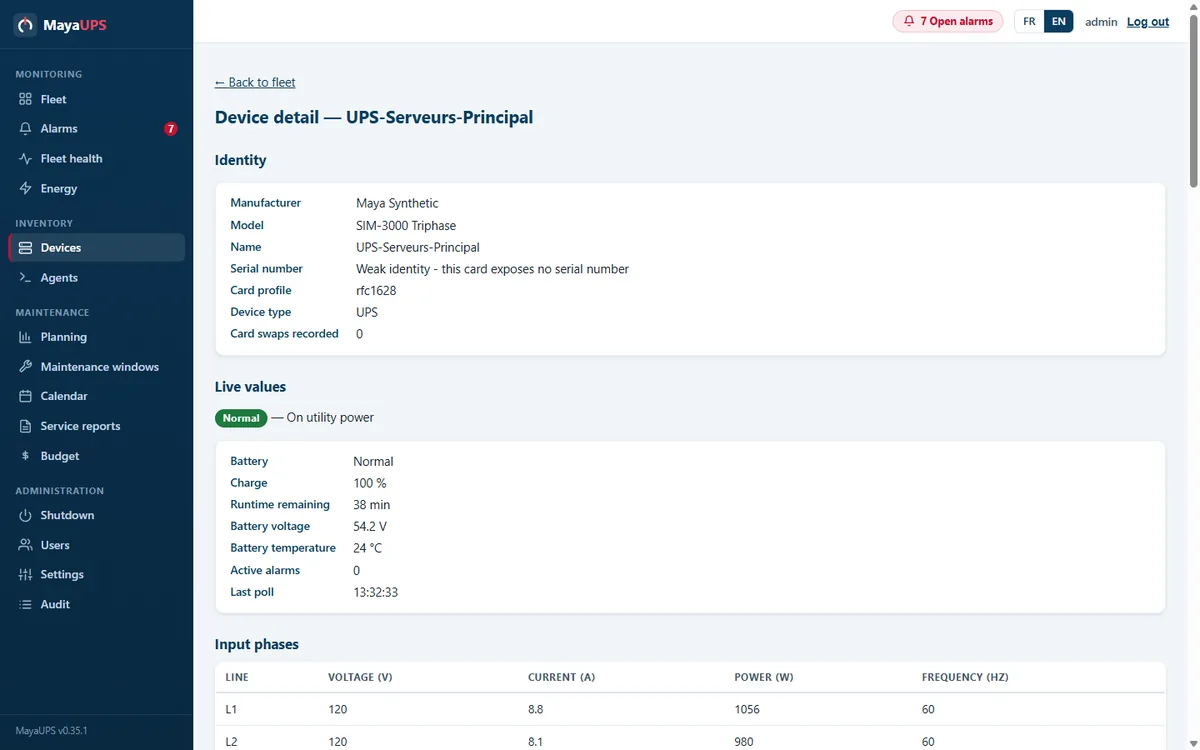
Device
Identity, live readings, per-phase values and history over 24 hours, 7 days or 30 days, on one page.
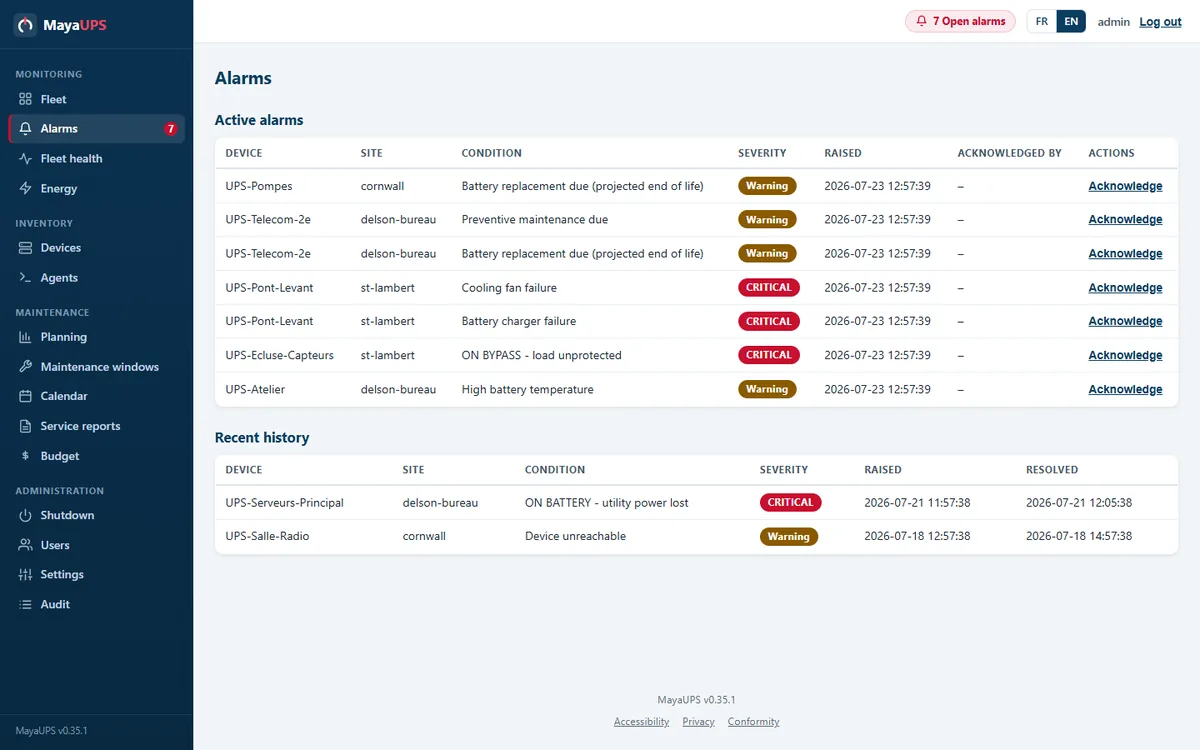
Alarms
Related events are grouped into one incident with its severity and start time. Acknowledgement shows who is responding, and escalation follows what stays open.
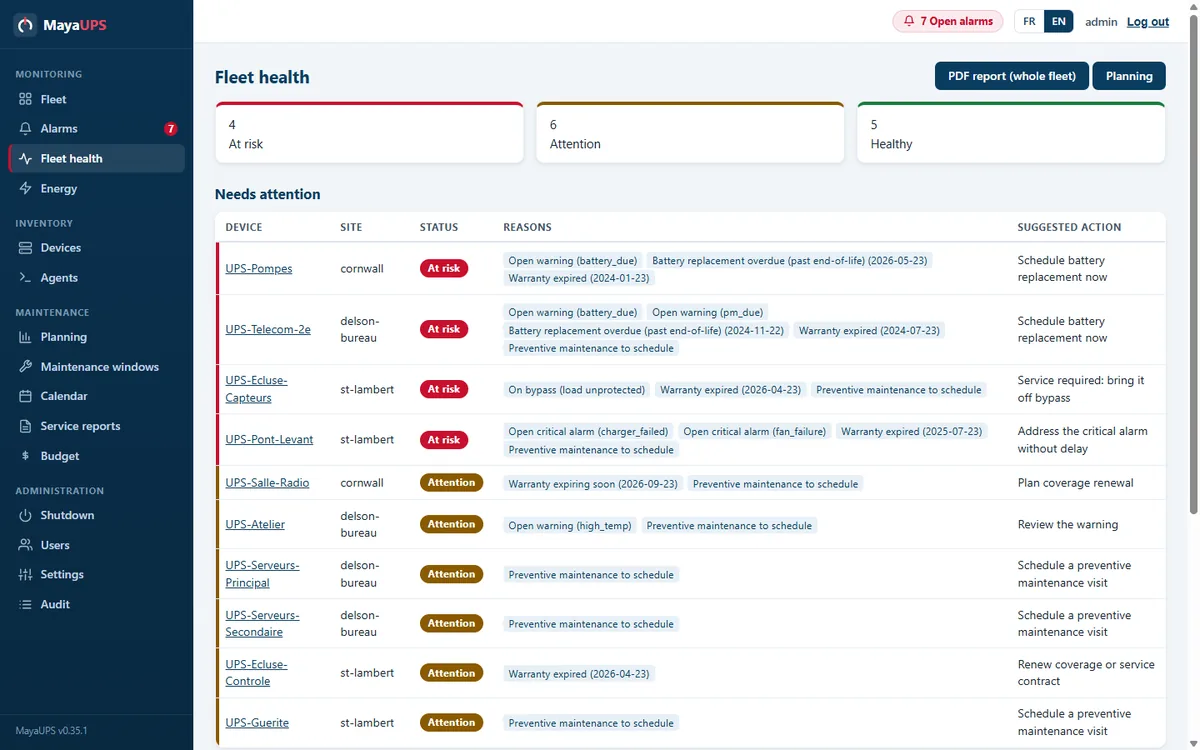
Batteries
Fleet health gives the reason behind each status: battery age above threshold, temperature, failed self-test or a replacement due soon.
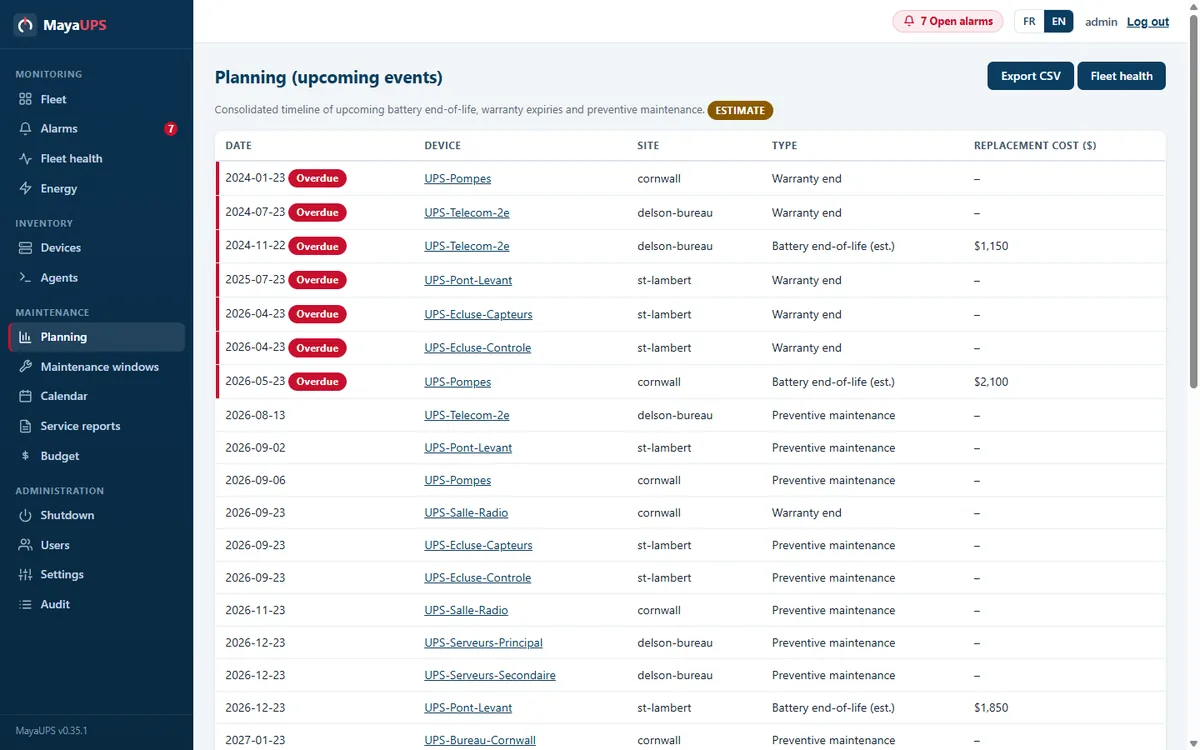
Planning
The timeline brings battery replacements, warranty dates and preventive maintenance into one schedule, with a multi-year budget.
FEATURES
APC, Eaton, Vertiv, CyberPower, Tripp Lite, XPC, Delta and Riello side by side, with status, battery capacity, runtime and load for each site.
Related events become one incident. E-mail, Teams, SMS, syslog, SNMP traps and ServiceNow, with escalation and on-call schedules.
Age, temperature, self-tests and runtime history feed a replacement forecast and a multi-year budget.
Virtual machines, hosts, clusters and storage shut down in the order you set, within the runtime you have. Restart follows when utility power is stable.
Visits, parts, warranties and preventive maintenance stay with each UPS, with PDF service reports.
The optional customer portal shows your sites, 30-day history, battery health and service reports. Hosted in Quebec.
SOLUTIONS
Every UPS brand in one console, with one alarm list, one history and one set of shutdown events.
Shut down virtual machines, hosts, clusters and storage in order when the power fails, and bring them back when it returns.
Each site protects itself on its own network. MayaUPS Cloud brings every site into one view.
From installation to replacement, every battery and every service visit stays with the equipment.
ONE OUTAGE, FROM FLEET TO HISTORY
A power failure, from the first warning to utility power restored. Sample data.
01
The fleet view flags UPS-Serveurs-Principal in red, with its remaining runtime and reading time.

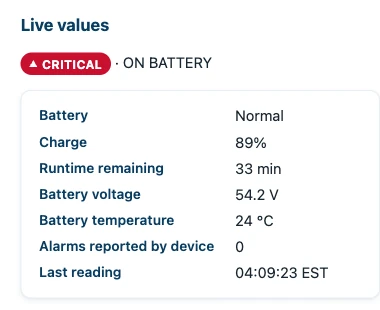
02
The device page shows charge, remaining runtime and the last reading as they change.
03
The operator acknowledges the alarm. The whole team sees who is responding, and escalation stops.
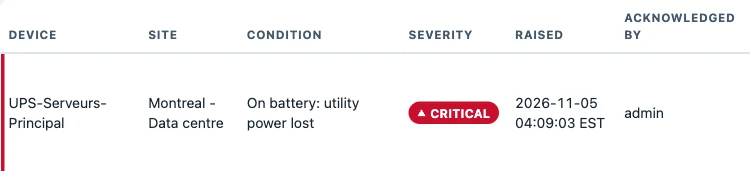
04
When utility power returns, the alarm closes on its own. History keeps the start, the end and the acknowledgement of the event.

ON SITE AND REMOTELY
Monitoring, alarms and shutdown run on your server and never depend on the portal. MayaUPS Cloud adds a remote view of every site, hosted in Beauharnois, Quebec.
ON YOUR SERVER
The fleet, alarms, history, batteries, service records and shutdown sequences, in one web console in English and French.
OPTIONAL
Your sites, equipment, 30-day history, battery health and service reports, from anywhere.
YOUR EQUIPMENT
MayaUPS reads UPS, PDUs, automatic transfer switches and environmental sensors from the major manufacturers. Each page lists the supported models, network cards and commands.
MayaUPS polls the card over SNMP v1, v2c or v3, with SNMPv3 encryption. APC Galaxy three-phase units can also be read over Modbus TCP.
SNMP UPS monitoringThe Windows or Linux agent reads a UPS attached over USB-HID or Megatec/Q1 serial and adds it to the fleet like any network device.
Deploy MayaUPSCOMPARE
One console for every manufacturer, virtualization platform and storage system you run.
FIELD SERVICE AND BATTERIES
When an alarm calls for hands on the equipment, the readings and service history in MayaUPS go with the technician.
Preventive maintenance, repair, installation and commissioning by qualified UPS technicians.
High-rate UPS batteries matched to the exact UPS model or cartridge.
We reply with a written proposal.
Yes. MayaUPS reads APC, Eaton, Powerware, MGE, Vertiv, Liebert, CyberPower, Tripp Lite, XPC, Delta and Riello over SNMP v1, v2c and v3, and any UPS that follows RFC 1628. A UPS on USB or a serial cable connects through the Windows or Linux agent. Each manufacturer page lists the supported models and network cards.
VMware vCenter and ESXi, vSAN, Microsoft Hyper-V with failover clusters and System Center VMM, Nutanix AHV, Dell VxRail, Proxmox VE, Citrix XenServer, XCP-ng and Red Hat OpenShift Virtualization. Storage follows: NetApp ONTAP, TrueNAS, DataCore and NAS units with their own UPS client.
No. Monitoring, alarms and shutdown run on your own server and never depend on the portal. MayaUPS Cloud is an optional remote view, hosted in Beauharnois, Quebec.
On a Windows or Linux server that can reach your equipment, as a service. Your team opens the console in a browser, in English or French.
Yes. The screens on this site come from MayaUPS with sample data, and we can walk your team through the console with your own fleet in mind.
MayaUPS is quoted per site or per deployment. Your proposal lists the functions, sites and devices it covers.